Auto-Subtiling
Hardware background
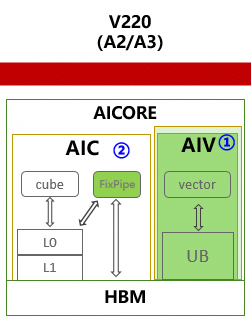
During Ascend chip evolution, AIC and AIV were separated with a 1:2 core ratio.
In the current ecosystem, neither user-written kernels nor community operators typically implement Ascend Cube–Vector 1:2 sub-block logic. To improve compute efficiency and Ascend affinity, the compiler needs automatic sub-block (subtiling) capability. This feature applies a Cube–Vector 1:2 subtiling strategy and performs the corresponding data splitting.
Algorithm overview
The overall approach is:
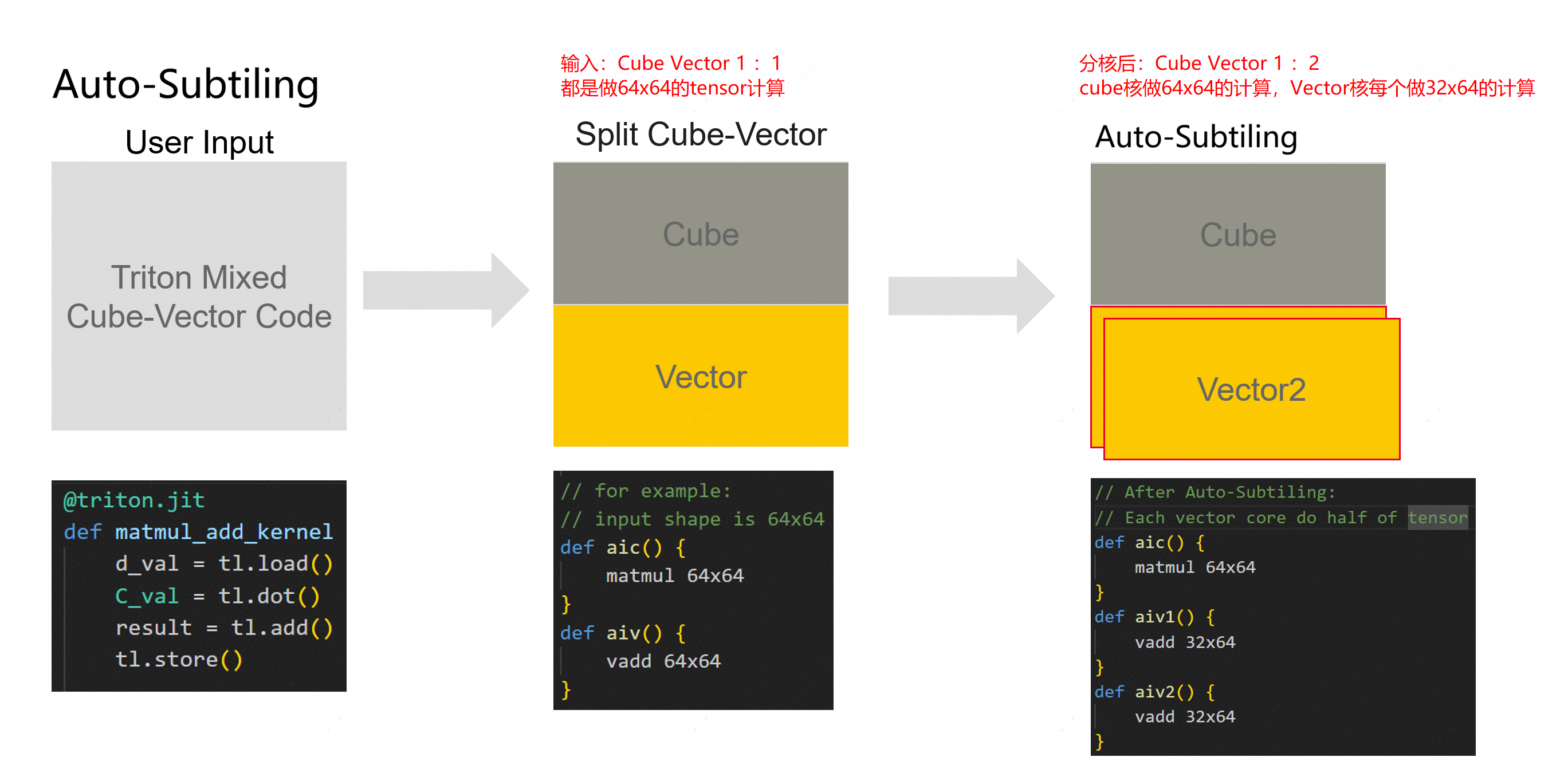
Effects:

Input/output example
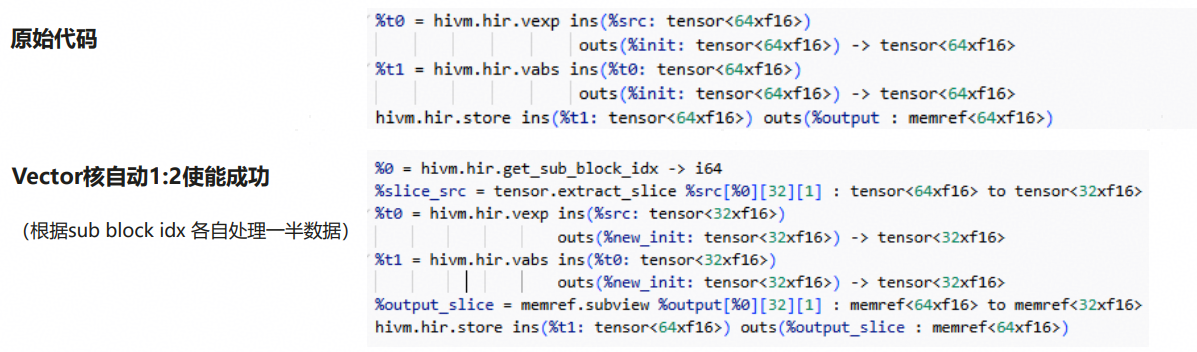
Implementation idea
Split Store data in half via extract-slice and for-loop.
Bubble up the extract-slice using the BubbleUpExtractSlice pattern.
Map the for-loop to subblock.
Subtiling succeeds.
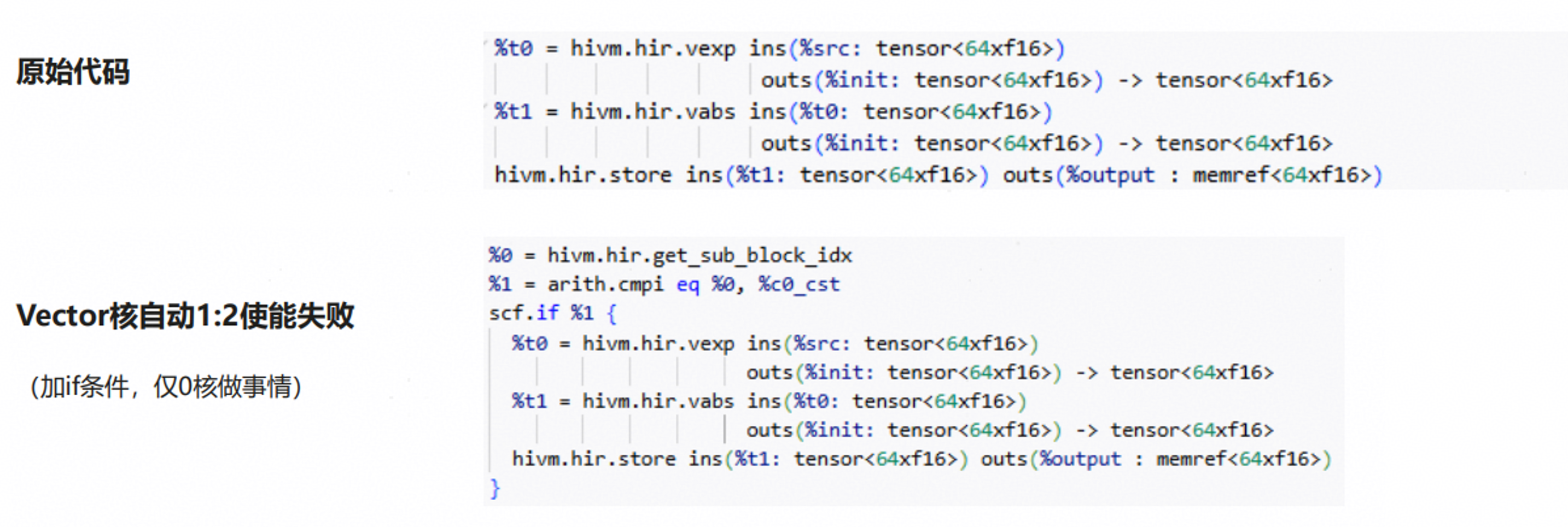
If subtiling fails, the compiler falls back to 1:1.
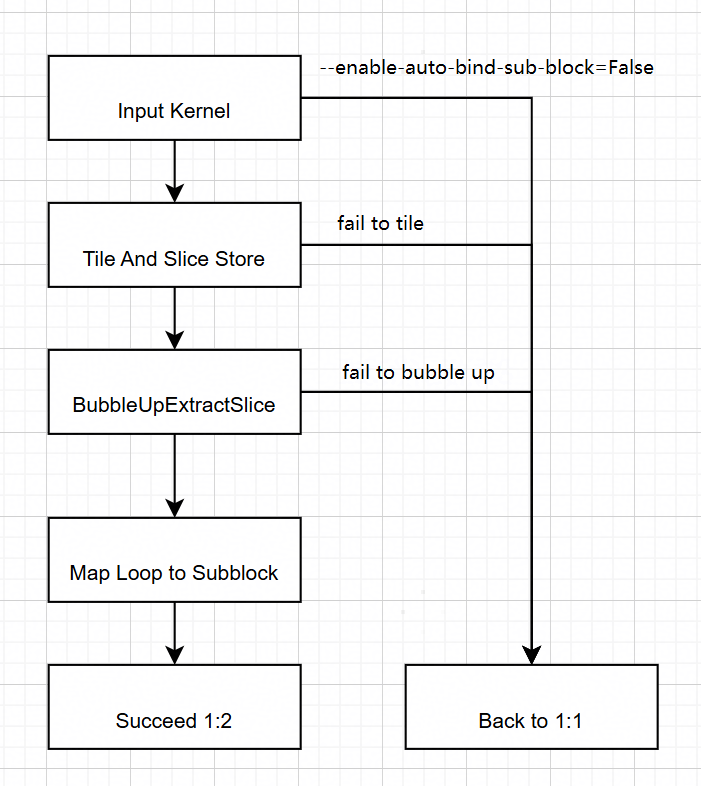
Figure: Auto-subtiling 1:2 implementation.
Design
Dimension analyzer (axis selection)
The Dimension Analyzer chooses a parallel axis for splitting by analyzing all operators in the target kernel.
Why choose a parallel axis
Vector cores do not share a direct data path. To maximize parallelism and correctness, splitting must avoid cross-tile dependencies. Splitting along a parallel axis allows each tile to be computed independently on a vector unit.
Tile and slice store (leaf)
Before each StoreOp/leaf node, an ExtractSliceOp for 1:2 splitting is inserted along the axis chosen by the Dimension Analyzer.
BubbleUp Extract Slice
A BubbleUp strategy is implemented per op type. Supported op types include:
BroadcastOp, ReduceOp, ExpandOp (specific shapes), CollapseOp (specific shapes)
ElementwiseOp, LoopOp, ExtractSliceOp (specific cases), InsertSliceOp (specific cases)
Additional op types can be supported by adding matchAndRewrite patterns.
Interface
Behavior is controlled by:
--enable-auto-bind-sub-block=True— enable this feature (default)--enable-auto-bind-sub-block=False— disable this feature
Constraints and fallback
If subtiling or an intermediate transformation fails, the compiler automatically falls back to 1:1 to preserve correctness.
Common reasons for falling back to 1:1:
Axis selection fails (no valid parallel axis for splitting).
BubbleUpExtractSlicePattern encounters an unsupported op.
Fallback example